General
Where: menu bar → Settings… → General
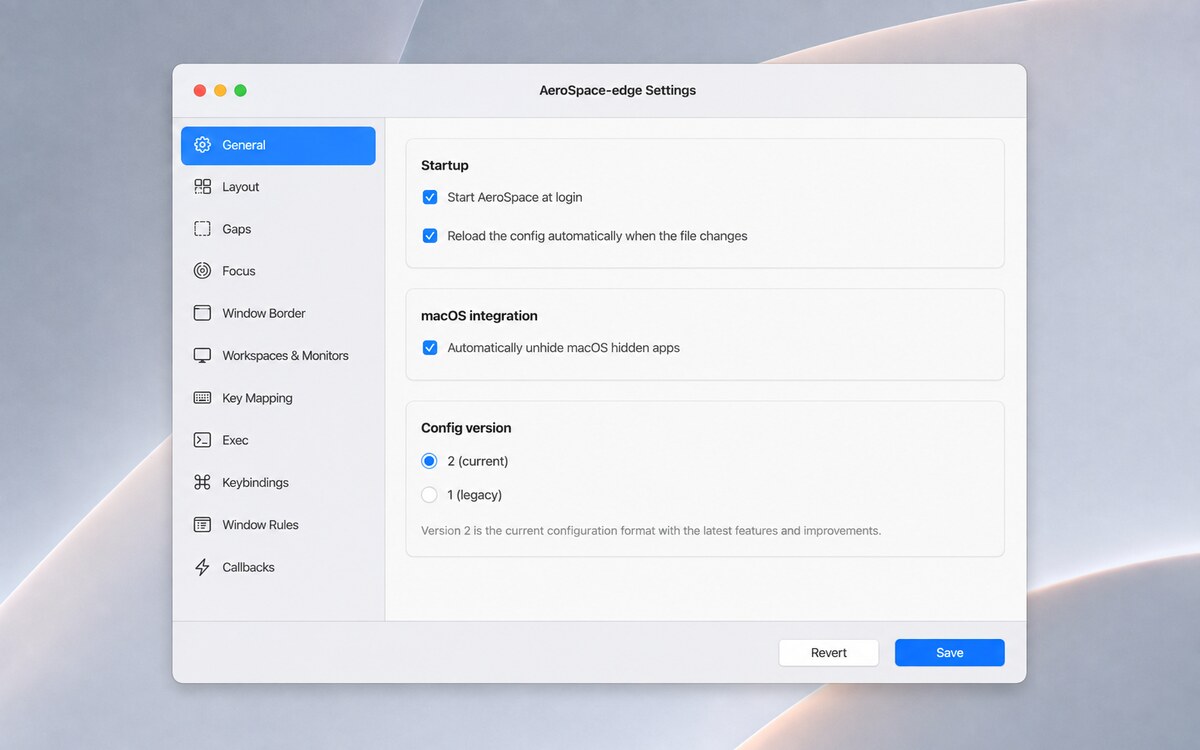
Startup behaviour, one macOS-integration toggle, and the format version your config is written in.
Startup
Start AeroSpace at login
Launch AeroSpace-edge after you sign in. Enabling registers the app as a macOS login item; disabling removes that automatic launch — it does not quit a running instance.
TOML start-at-login · values true / false · default false ·
applies on Save
Reload the config automatically when the file changes
Watches the active config file and picks up saved changes — from this window or from another editor — after the first manual reload. Leave it off if another tool owns reload timing.
TOML auto-reload-config · values true / false · default false ·
applies on Save, then on every later file change
macOS integration
Automatically unhide macOS hidden apps
macOS can hide an entire application (⌘H). With this on, AeroSpace-edge unhides the app before moving focus to one of its windows, so focus commands don't appear to do nothing.
TOML automatically-unhide-macos-hidden-apps · values true / false ·
default false · applies after reload
Config version
This is the format your config file is written in, not a version to bump.
- Version 1 — legacy derived workspaces.
persistent-workspacesis derived from your bindings andworkspace-to-monitor-force-assignment. - Version 2 — explicit persistent workspaces. That list is stored explicitly, and its fallback is empty.
TOML config-version · values 1 / 2 · default 1 when the key is absent
(the bundled default config writes 2)
Changing a loaded version 1 config to version 2 is a real migration: Save asks for confirmation, materializes the derived list, and writes a byte-identical backup first. Going back to version 1 is not its inverse. See Config version migration for the full procedure, the exact ordering guarantees, and how to restore from the backup.