Window Border
Where: menu bar → Settings… → Window Border
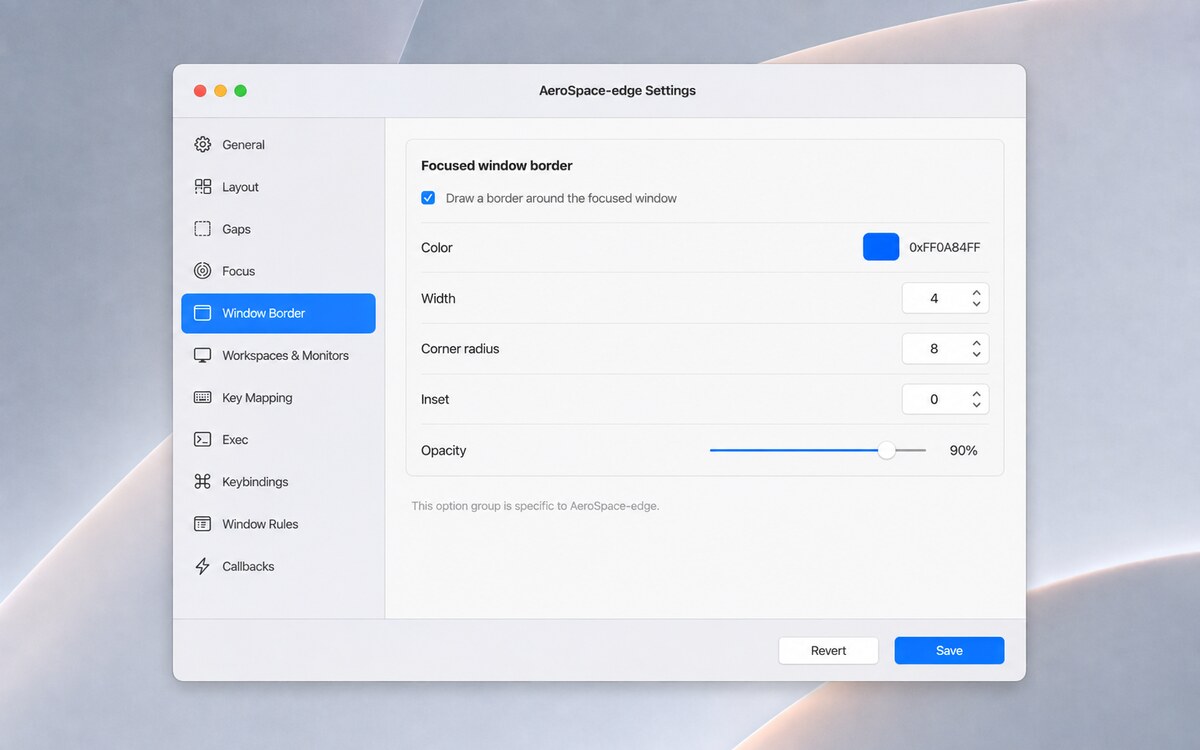
An overlay drawn around whichever window has focus. It is painted over the window; the app's own frame is never modified. AeroSpace-edge-specific.

Focused window border
Draw a border around the focused window
The master switch. Everything below it is disabled until this is on.
TOML focused-window-border · values true / false · default false ·
applies after reload
Color
Stored as 0xAARRGGBB — alpha, red, green, blue. The colour well writes back exactly that
representation. If the current value is something the picker can't represent, the row stays a
plain text field instead of silently rewriting your value.
TOML focused-window-border-color · default 0xff12B981
Width
Stroke thickness in points. Larger values are easier to spot and cover more pixels near the window edge.
TOML focused-window-border-width · values integer, 0…40 in the UI ·
default 4
Corner radius
Rounds the border's corners. Match it roughly to the app window's own radius; 0 is square.
TOML focused-window-border-radius · values integer, 0…60 in the UI ·
default 10
Inset
Moves the border relative to the window frame. Positive values pull it inward (useful when it covers content), negative values push it outward (useful when the corners leave a gap).
TOML focused-window-border-inset · values integer, -40…40 in the UI ·
default 0
Opacity
Multiplies the colour's alpha. 100 is fully opaque; lower values let the window and
desktop show through.
TOML focused-window-border-opacity · values integer percent, 0…100 ·
default 100