Workspaces & Monitors
Where: menu bar → Settings… → Workspaces & Monitors
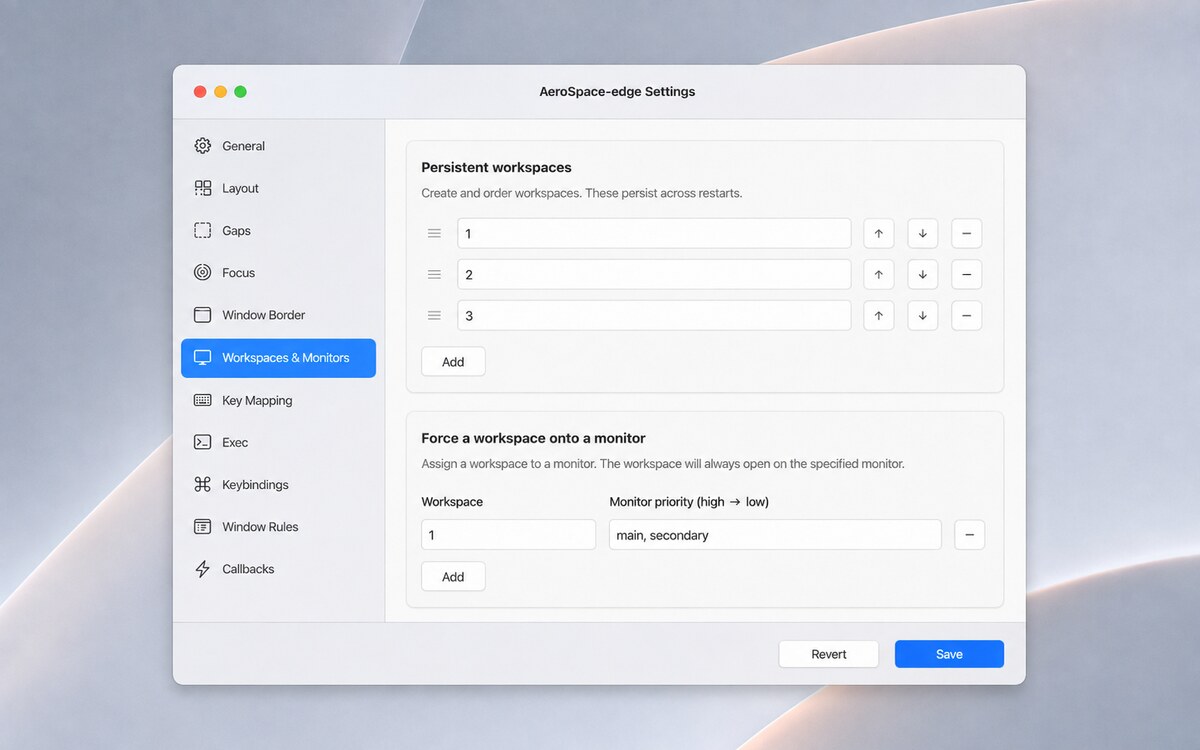
Which workspaces always exist, in what order, and which monitor each one prefers.
Persistent workspaces
An ordered list of workspace names that always exist, even when empty — so a workspace doesn't vanish from menus and navigation the moment its last window closes. The order here is also their stable order everywhere else.
TOML persistent-workspaces · values array of non-empty strings ·
default [] under config version 2 · requires config version 2 ·
see workspace
Under config version 1 this list is derived from your bindings and monitor assignments rather than authored, which is exactly what the version 1 → 2 migration materializes for you.
Add, remove and reorder rows in place; the whole list is rewritten on Save.
Workspace and monitor priority
Forces a workspace onto a preferred monitor. Each row maps a workspace to one monitor description, or to several in priority order — AeroSpace-edge uses the first one that is currently available, and moves the workspace as monitors come and go.
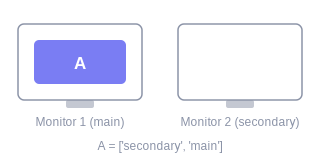
Each row is one workspace on the left and one monitor pattern — or an array of them — on the right. Assign workspaces to monitors lists every supported pattern and its exact matching rules.
TOML [workspace-to-monitor-force-assignment] · default empty table ·
applies after reload and whenever monitor availability changes
Whole-family rewrite
Editing any row regenerates the complete workspace-to-monitor-force-assignment table.
Comments and custom ordering inside it do not survive the Save.