Key Mapping
Where: menu bar → Settings… → Key Mapping
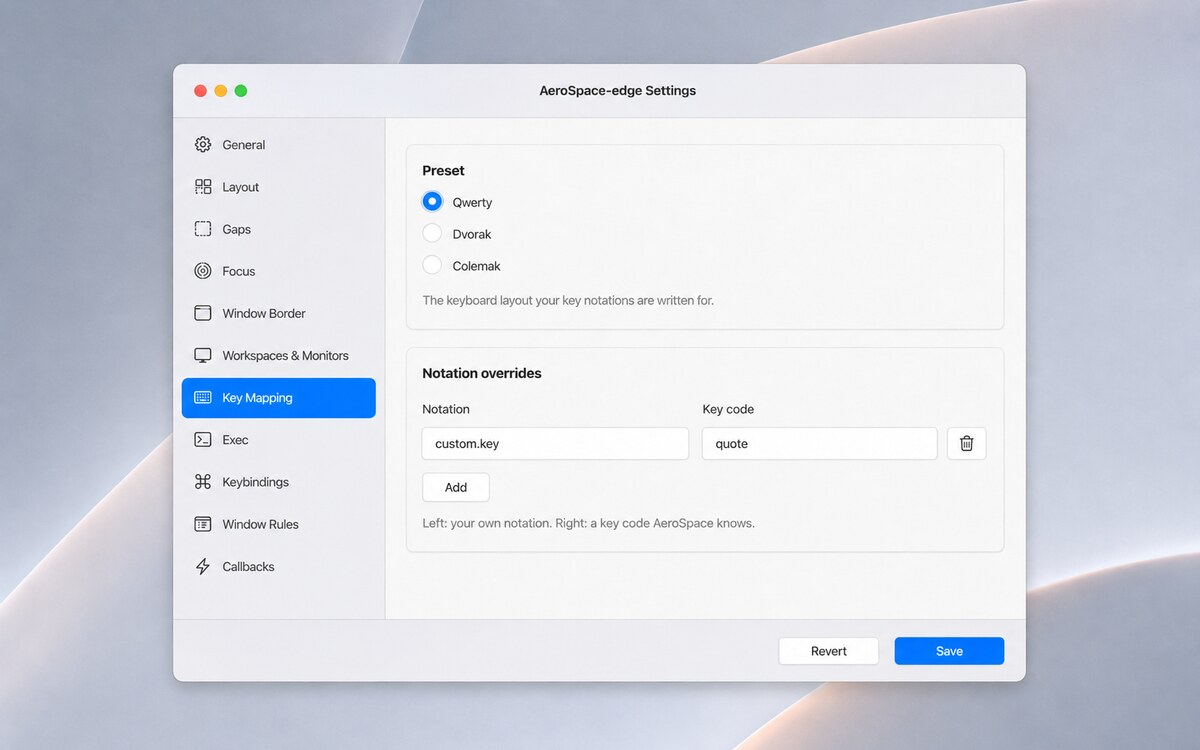
How the key names written in your bindings are resolved to physical keys. This changes interpretation, never the text of your bindings.
Preset
The keyboard layout your key notations are written for. alt-h means "the key labelled h
on this layout", so choosing the wrong preset moves every binding to a different physical
key without changing a single character of config.
TOML key-mapping.preset · values qwerty / dvorak / colemak ·
default qwerty · applies on reload, when hotkeys are rebuilt ·
see Keyboard layouts
Custom notation mapping
Overrides individual names, or invents new ones. Each row is the notation you use in bindings on the left and an AeroSpace key-code name on the right. Overrides win over the preset — useful for a different alphabet, or just a fancy alias; see Keyboard layouts and key mapping for worked examples.
Notation names may not contain whitespace or -, and the value must be a key-code name
AeroSpace-edge knows. Both are checked when Save validates the file.
TOML [key-mapping.key-notation-to-key-code] · default empty table ·
applies on reload
Whole-family rewrite
Changing either control on this page regenerates the complete key-mapping family,
including [key-mapping.key-notation-to-key-code]. Comments inside it do not survive
the Save.